Saturday, May 10, 2008

Adobe Photoshop 7


Mixed-media professionals such as photographers, Web designers, and graphic designers will not be disappointed in Adobe's latest incarnation of Photoshop. In this release, Adobe aims hard at addressing the issues of file management, easy photo retouching, and smarter output for the Web. While Adobe manages to successfully address these issues, it also remains true to its photo editing roots. New and improved features and tools such as a painting option and an enhanced brush palette allow Photoshop to build on its reputation as the leading tool for image manipulators. New-school designers of wireless applications will smile when they discover that Photoshop 7.0 offers support for WBMP-formatted graphics.

Photoshop 7.0's new file management system comes in the form of a Windows Explorer-like file browser that allows users to easily sort and locate their images within various projects. Users can now organize projects by name, date, resolution, and a number of additional parameters.

The enhanced brush palette allows users to create custom brushes and save them as presets that can be accessed from the Tools options bar. Users can easily vary different aspects of the brush by changing the hue, opacity, or flow of the brushes for pastels, oils, and charcoal. Photoshop 7.0 also introduces a new Healing Brush and Patch Tool. With these tools, users can easily "heal" their images by removing scratches, blemishes, and other imperfections while preserving shading, lighting, and texture attributes.

Adobe has taken great strides in revamping Photoshop 7.0 to be more Web-ready than ever before. With the help of its companion software Image Ready, users can now easily create rollovers and complex navigation bars by using the new Rollovers palette. Additional Web-ready features include enhanced Web export functions that allow designers to preview images designed for PDAs and mobile phones in the WBMP format. Users can easily create a slide show of their images and post online using the new Web Gallery. People concerned about posting their images online can secure their images with the new password protection feature before sharing them.

Adobe has finally introduced a long overdue spell checker with wicked multilingual spell-checking capabilities. A new search and replace feature allows users to search and replace across different layers in the same document.

While Photoshop 7.0 introduces an impressive array of features that allow photographers, Web designers, and graphic designers to work more effectively with Web and wireless devices, it also remains the leading tool for anyone serious about digital imaging. No other software package provides users with the ability to create such high-quality images.

DOWNLOAD HERE:
http://rapidshare.com/files/106737670/Adobe_Photoshop_7.part1.rar
http://rapidshare.com/files/106739779/Adobe_Photoshop_7.part2.rar

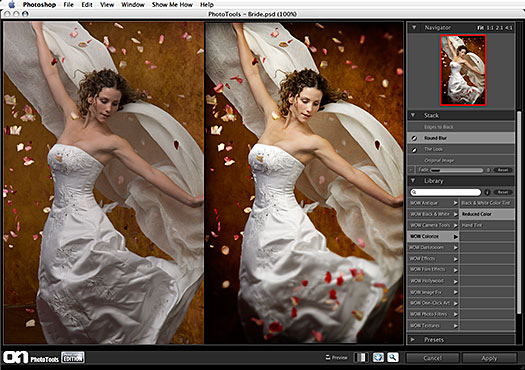
Just copy and paste into the PhotoShop plug-in directory.
Use the plugin you want and discard the rest.

DOWNLOAD HERE:
http://rapidshare.com/files/59109161/Plug-ins.exe

Vector Pack 2 & Flowers Burhses For Photoshop


DOWNLOAD HERE:
http://rapidshare.com/files/108190448/Brushes_-_.rar

800 Actions for Adobe Photoshop

DOWNLOAD HERE :
http://rapidshare.com/files/93784269/PS_Actions.rar

1674 plugins for photoshop


Total 1674 Photoshop Plugins:
Brushes
Fonts
Patterns
Shapes
Etc.....

DOWNLOAD HERE:
http://rapidshare.com/files/112567120/1674PSPlugins.rar

Adobe Photoshop CS2

Adobe® Photoshop® CS2 software, the professional image-editing standardand leader of the Photoshop digital imaging line, delivers more of what you crave. Groundbreaking creative tools help you achieve extraordinary results. Unprecedented adaptability lets you custom-fit Photoshop to the way you work. And with more efficient editing, processing, and file handling, there's no slowing you down.

DOWNLOAD HERE:

Installer

http://download.adobe.com/pub/adobe/photoshop/win/cs2/Photoshop_CS2_tryout.zip

Keygen

Rapidshare Download
http://rapidshare.com/files/100515118/AP.CS2.By.Billy.Bobby8.Warez-BB.org.zip

Megaupload Download
http://www.megaupload.com/?d=L5H6IRLG

PASSWORD HERE: Warez-BB.org

How to use the Keygen

~~~~~~~~~~~~~~~~~~~~~~~~~~~~~~~~~~~~~~~~~~~~~~~~~~~~~~~~~~~~~~

By: Rambo4104
Once downloaded, double click on the setup.
This will come up

Enter whatever information you like, it doesn't matter.
Once you have your info, hit install trial
Not full.
After the installation, go Start/All Programs/Adobe Photoshop CS2

When the program opens up, it will prompt you to buy it, of course.

Now is where the keygen I provided comes into play. Also this is the most important part! Please pay attention CAREFULLY!
Open the keygen, and enter the serial number it provides you into Photoshop and hit "activate online"
It will say, activation unsucessful.
It's supposed to do this.

When it does, hit "phone activation"
Under phone activation, you'll get this screen

Once this happens, bring back up the keygen. *make sure you never close the keygen, as to retain your original serial number*
Enter the activation number Photoshop gives you into the middle line of the keygen and hit "Generate Auth Code"

he keygen will give you an Authorization code, which you need to enter into Photoshop.
Once all the information is entered, hit activate.


Boom!

You have Photoshop.

Enjoy! Also, please post comments and thanks!

People who have helped keep this thread alive and kicking!
Billy Bobby8 Anti Rip
Rooks-Helping people when the file doesn't open. Thanks a lot for this man!

Rooks Help Center!

Q. When I try to activate it, it says I don't have admin privilege's and wont let me go to phone activation? What is wrong?

A. Try read 'Vista Workarounds' as posted on pages 40-41, also more on administrative privileges on pages 51-52.

Q. Where do I get the initial serial number that I need?

A. the key generator provides the serial number and authorization code, read the tut and follow the glossy pictures included. you can thank team ParadoX for the magic algorithms.

Q. Can't install trial version , says i have to fill in registration thingy first and fill in name or something , when i do that and install full version , it says :
Error 1311. Source not found: C:\Documents and Settings\Umut\Local Settings\Temp\wzd0c0\Photoshop CS2\Adobe(R) Photoshop(R) CS2\Data1.cab. Verify that the file exists and that you can acces it.
help please...


A. That's an InstallShield error code, with an abort from the CAB extraction. you need to clear all of your temp folders [Local Settings], to include your TIF [Temporary Internet Files] directories beforehand. make sure you're not attempting an online installation. it helps if you place the package in a temp directory on your hard drive before proceeding. don't complicate things more than you have to. simply create a folder called Temp on the root/system drive [typically C:\Temp], then copy or extract the contents of the package to it and run the installation from there by double-clicking setup.exe. you also need adequate disk space for the installer to expand. update your Windows installer if all else fails.

Photoshop Brushes Viewer and Manager**NEW-HOT**

I have seen lots of people asking for a software to View Photoshop Brushes and to manage them....For all you people out there, this is a must have software....
You no longer need to install a brush or open the Photoshop to View your new brushes, just use this software


DOWNLOAD HERE:

http://rapidshare.com/files/56502116/Abr_Viewer.rar